
How to improve students’ problem-solving skills using subgoal labels
When faced with a programming problem, computing educators often start solving it without a second thought. Before writing a single line of code, experienced programmers use a range of skills to choose their approach and make other key decisions. Thanks to repeated practice, many of these decisions feel automatic and require little conscious thought. However, for beginner programmers, starting a programming problem can feel overwhelming, requiring intense thought and concentration.
So how can we be more aware of the automatic steps we take and choices we make so that we can break them down for learners, and make it easier for them to solve problems?
In today’s blog, we look at what ‘subgoal labels’ are and how they can be used as a form of scaffolding to support learners in breaking down computer science and programming problems.
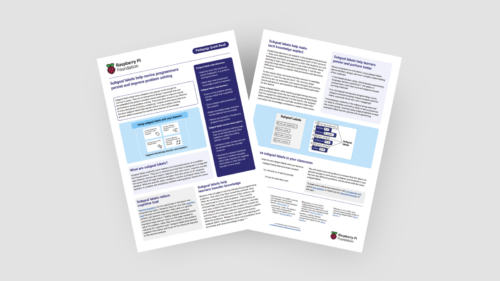
We also share the new subgoal labels Quick Read, which you can download for free to:
- Find practical tips for using subgoal labels into your lessons
- Read a summary of the research related to adopting and using subgoal labels in computing education
What are subgoal labels?
Subgoal labels are simple instructions that can be added to tasks — they are particularly useful when added to worked examples. They act as signposts to provide clear directions for a larger task.

Let’s look at the following example: You’re working through a programming problem with your students. The task requires them to draw a shape using a turtle sprite. Instead of just showing learners a complete script, you could instead add these subgoal labels to the worked example.
Programming problem: Draw a blue square in the top right corner of the screen using a screen turtle.
- Subgoal 1: Set pen properties (e.g. width and colour)
- Subgoal 2: Move turtle
- Subgoal 3: Orient turtle
- Subgoal 4: Call function
The labels act as scaffolding for students, helping them break down the task and work through it. While the exact number or specific context of the goals might change from one project to the next, the idea is always to break down tasks into smaller, more manageable actions.
How can you use subgoal labels in practice?
You do not need to redesign your entire curriculum to start seeing the benefits of this approach. Here are three practical ways to introduce subgoal labels in your next computing lesson:
- Create some labels on any worked examples in your next lesson. You could use this as an opportunity to collaborate with colleagues, and come up with the labels together.
- Co-create with AI. Have your students use a generative AI tool to suggest subgoal labels for a piece of code they’ve written, using it as a starting point for a class discussion on structure.
- Teach your students how to write their own subgoal labels. This helps them look past the surface details of a task and build a portable problem-solving strategy they can apply to future projects.
Why use subgoal labels in your classroom?
Integrating these labels into your teaching practice offers lots of benefits, for example:
- Help reduce mental load: Worked examples offer a brilliant way to introduce new programming concepts, but they can actually add to students’ cognitive load. This is because learners are required to process the specific context a problem is set in, in addition to the actual problem they need to solve. Adding labels eases this mental load by directing attention back to the structural steps needed to solve the problem, rather than its surface-level context.
- Make implicit knowledge explicit: As discussed above, the skill of programming can feel automatic for experienced educators, making it difficult to explain why you’re doing things the way you are. Subgoal labels help you to clearly break down your thoughts and reasoning, making your decision-making visible and structured for your learners.
- Boost classroom performance and persistence: Research shows that using subgoal labels can improve student performance. In studies using block-based programming, students using subgoal-oriented materials scored 7 to 8% better on assessments. Additionally, students using subgoal labels as part of text-based introductory courses were half as likely to fail or withdraw compared to students who did not use subgoal labels.
Want to know more?
Download the full Subgoal Labels Pedagogy Quick Read as a PDF:






No comments
Jump to the comment form